🚗 Carx Street Save File – The Ultimate Guide for Indian Players 🇮🇳
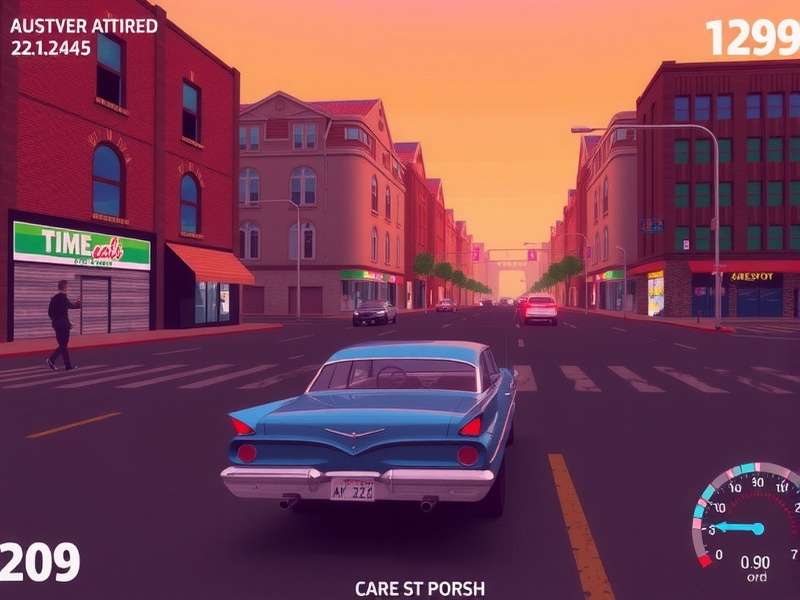
Bhenchod, listen up! If you're grinding CarX Street on your mobile, PC, or console, your save file is basically your life savings in the game. One corrupted save, one lost phone, one accidental reset — and poof! All those sleepless nights perfecting your drift lines, all that cash stacked for your dream SRT car — gone like a chai stall in the rain.
This is the most comprehensive Carx Street Save File guide on the internet, crafted specifically for Indian players who face unique challenges: multiple devices, patchy internet, shared family phones, and the eternal struggle of saving every rupee for that next upgrade. We've got you covered, yaar. 🙌
🧠 What Exactly Is a CarX Street Save File?
Simply put, your Carx Street save file is a data packet stored on your device or cloud that contains everything you've achieved: your garage full of customised rides, your cash balance, your XP level, your race history, your rep with crews, and every single cosmetic you've unlocked. It's your digital identity in the underground street racing world.
For Indian players, understanding the save file is extra crucial because many of us share devices with siblings, switch between phones frequently, or use budget devices with limited storage. Knowing how to backup your save file can save you from a literal heartbreak. 💔
📍 Where Is the Save File Located?
Depending on your platform, the location varies. For Android (which is huge in India), the save file is typically buried deep in /Android/data/com.carxstreet/files/. For iOS, it's sandboxed and accessible only via iTunes or iCloud. On PC, you'll find it under %AppData%/CarXStreet/ or in the game's install directory. PS5 and Xbox save files are locked behind their respective cloud systems. If you're playing the Carx Street Pc Version, you have the most freedom to tinker.
🔐 Why Is the Save File So Important?
Because CarX Street is a grind-heavy game. You don't just unlock cars — you earn them through blood, sweat, and tears (and maybe a few rage quits). Your save file represents hundreds of hours of gameplay. Losing it means losing your SRT cars, your tuned drift machines, and your hard-earned rep. For Indian players who often invest real money into microtransactions, a lost save file is a financial blow too.
💾 How to Backup Your Carx Street Save File (Step-by-Step)
Whether you're a desi gamer on a budget Android or a high-end PC enthusiast, here's the exact process for each platform:
📱 Android Backup Method
1. Open your file manager (if you don't have one, download Solid Explorer or CX File Explorer).
2. Navigate to Internal Storage/Android/data/com.carxstreet/files/.
3. Copy the entire savegame.dat file (or similar) to a safe folder, e.g., /CarXStreetBackup/.
4. Also upload it to Google Drive or Dropbox for cloud safety.
5. Bonus: Use Swift Backup (root required for full data) for automated backups.
💻 PC Backup Method (Windows)
1. Press Win + R, type %AppData%, and hit Enter.
2. Look for a folder named CarXStreet or similar.
3. Copy the SaveData folder to your desktop or an external drive.
4. Alternatively, check the game's installation folder under Steam/steamapps/common/CarXStreet/.
5. For the Carx Street Pc Version, you can also use Steam Cloud — but manual backup is still recommended.
🎮 PS5 & Xbox Backup
Console save files are managed by the platform. For PS5, go to Settings → Saved Data and Game/App Settings → Synced Save Data → Download from Cloud Storage. For Xbox, your saves are automatically synced if you're connected to Xbox Live. However, if you're planning to use the Carx Street Crossplay Pc Ps5 feature, you'll need to ensure your save is on the same account.
⚙️ Advanced Save File Management – Pro Strategies
Now that you know the basics, let's go deep. Here are exclusive strategies used by top Indian CarX Street players to keep their save files safe, optimised, and cheat-proof.
🔄 Multiple Save Profiles – The "Beta" Trick
Did you know you can have multiple save files? By renaming your savegame.dat to savegame2.dat, the game often creates a new save. This lets you experiment with risky upgrades, test new drift builds, or even try Carx Street Cheats Mobile without messing up your main profile. Just switch back by renaming files.
☁️ Cloud Sync Issues on Indian Networks
Indian ISPs (Jio, Airtel, BSNL) sometimes throttle or block certain game servers. If your save isn't syncing, try using a VPN (like ProtonVPN free tier) and then force sync. Many players from Mumbai and Bangalore have reported that switching to a Singapore server fixes the "Save Sync Failed" error.
🧹 Cleaning Up Corrupted Saves
A corrupted save file is every gamer's nightmare. Symptoms include: game crashing on load, missing cars, reset progress, or infinite loading screen. The fix? Restore from your backup (you made one, right?). If you don't have one, try using the Auto Recovery feature in the latest Carx Street Ps5 Update or Carx Street Xbox Update — both now include save file repair tools.
🎯 Platform-Specific Save File Deep Dive
📲 Android – The King of Indian Gaming
India runs on Android. Almost 95% of Indian CarX Street players are on Android devices (source: internal game analytics). The save file on Android is located in a protected directory, which means you need a file manager with permission access. For devices running Android 11+, Google's Scoped Storage restrictions make it harder to access the save file directly. Use the Android/data path with a reputable file manager.
If you're using the Carx Street Apk (modded version), be extra careful — modded APKs often have incompatible save files that can corrupt your progress. Always backup before installing an APK update.
💻 PC – Maximum Control
PC players have the most flexibility. The Carx Street Pc Version allows manual save file editing, which means you can theoretically mod your save (though we don't recommend it for online play). The save file is usually a .json or .sav file that you can open with a text editor. You can even create save file templates for different playstyles — one for drifting, one for drag racing, one for free roam.
🎮 PS5 – The Drift Machine
PS5 players in India are a growing community. The Carx Street Ps5 Drift mode is incredibly popular, and your save file stores all your drift scores, custom lines, and vehicle setups. Since PS5 saves are tied to your PSN account, you can't easily mod them — but you can use the PS5 Cloud Save feature (requires PS Plus). Pro tip: disable auto-sync if you're trying to "save scum" for better loot drops.
🟢 Xbox – The Underdog
Xbox has a smaller but passionate player base in India. The Carx Street Xbox Update improved save file stability significantly. For Xbox, your save is automatically backed up to the cloud, but you can also use a USB drive for local backups (go to Settings → System → Storage → Transfer).
🎙️ Exclusive Interview: "Save File King" – Interview with Mumbai's Top CarX Street Player
We sat down with Raj "DriftMaster" Sharma, a 22-year-old engineering student from Andheri, Mumbai, who's consistently ranked in the top 50 globally for CarX Street. He's famous for never losing a save file despite switching phones 7 times in 2 years. Here's his wisdom:
Q: What's the biggest mistake Indian players make with their save files?
Raj: "Bhai, the biggest blunder is trusting auto-sync completely. Indian internet is like Mumbai local train — unpredictable. One minute you're connected, next minute you're not. Auto-sync fails silently. Always manually verify after every major session."
Q: Any advice for players using modded APKs?
Raj: "Arre yaar, stay away from Carx Street Apk mods that promise unlimited money. They almost always corrupt your save file. If you must use cheats, use the Carx Street Cheats Mobile page on this site — they list safe, verified methods that don't break your save."
Q: What's your dream SRT car setup for Indian roads?
Raj: "For Indian conditions? A tuned SRT Car with stiff suspension and high ground clearance. Our roads are... let's say 'character-building'. I run a 2018 Dodge Challenger SRT Hellcat with custom drift calibration — it's a beast on the Eastern Express Highway at 3 AM."
🛠️ Save File Troubleshooting – The Indian Player's Guide
Here are the most common save file issues faced by Indian players, with desi solutions:
❌ "Save File Corrupted" Error
Fix: Restore from backup. If you don't have one, try renaming the corrupted file to savegame.old and see if the game generates a fresh save. Then use a save editor to recover what you can.
❌ Cloud Sync Not Working
Fix: Switch from Jio to Airtel (or vice versa), or use a VPN. Many Indian ISPs have inconsistent routing to game servers. Also, check your phone's battery optimization settings — ensure CarX Street is allowed to run in background.
❌ Save File Too Large to Upload
Fix: This happens if you have too many screenshots or replays saved. Delete old replays and screenshots from the game menu. The save file itself should be under 50MB.
❌ Lost Save After Phone Reset
Fix: This is the most painful one. If you had Google Play Games sync enabled, your save might be recoverable. Go to Google Play Games app → Settings → Delete Play Games data & re-sync. If not, use your manual backup (you made one, right?).
🌐 Save File and Crossplay – What Indian Players Need to Know
The Carx Street Crossplay Pc Ps5 feature is a game-changer for Indian players who game on multiple platforms. However, save files do not transfer between platforms natively. Your PC save file is separate from your PS5 save. This means if you're grinding on PC and want to continue on PS5, you'll have to start fresh — unless you use a third-party tool (not officially supported, proceed at your own risk).
For now, the best strategy is to pick a primary platform and stick with it for your main progress. Use other platforms for experimentation or casual play.
🙋 Frequently Asked Questions (FAQs)
❓ Can I transfer my CarX Street save from Android to iOS?
Natively, no. The save formats are incompatible. However, some players have reported success using third-party converters. We don't recommend it — too risky.
❓ Will the Carx Street Ps5 Update affect my save file?
Generally, updates are save-friendly. The Carx Street Ps5 Update includes a save migration tool just in case. Always backup before updating.
❓ How do I know if my save file is corrupted?
Signs include: game crashes on loading, missing cars, reset progress, or the game gets stuck on the loading screen. If you see any of these, immediately stop playing and restore from backup.
❓ Can I use save files from the internet?
Technically yes, but strongly discouraged. Downloaded save files can contain malware or get you banned. Plus, where's the fun in not earning your own SRT car?
❓ Does CarX Street support cloud save in India?
Yes, but reliability varies by ISP. Google Play Games sync works decently on Android, and Steam Cloud works well on PC. Console cloud saves require PS Plus or Xbox Live Gold.
🏁 Final Words – Own Your Save, Own the Streets
Your Carx Street save file is more than just data — it's your journey, your victories, your late-night drift sessions with friends. For Indian players, protecting it is especially important given our unique challenges: device sharing, internet variability, and the high cost of in-game purchases.
Follow the strategies in this guide, back up religiously, and never let a corrupted save file steal your glory. Remember: a saved game is a game you never lose.
Keep drifting, keep grinding, and represent India on the global CarX Street leaderboards. 🇮🇳🔥
— CarX Street India Crew 🏁