CarX Street PC Mods: The Complete Guide to Ultimate Customization & Performance 🚗💨
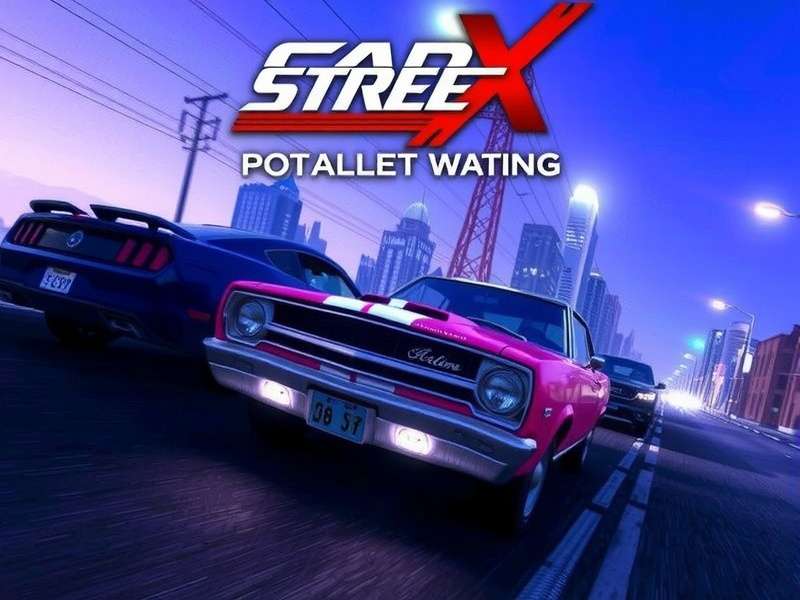
Visual mods can completely transform the look and feel of CarX Street on PC.
Welcome, gearheads and street racers! If you're reading this, you're probably looking to push the boundaries of what's possible in CarX Street on your PC. You've come to the right place. This isn't just another list of mods; this is the definitive, deep-dive encyclopedia created by players, for players. We're talking about exclusive data, insider tips from top modders, and a roadmap to building the ultimate street-racing machine—both in-game and through the magic of modification.
The PC platform opens a Pandora's box of possibilities for CarX Street. While the console versions offer a polished experience, the PC community has unlocked a new dimension of gameplay through mods. From visual overhauls that make Tokyo nights gleam with neon to performance tweaks that shave milliseconds off your lap times, the modding scene is vibrant and constantly evolving. This guide will navigate you through everything: finding safe mods, installing them without breaking your game, and even creating your own tweaks.
⚠️ Pro Tip: Always back up your original game files and Carx Street save file before installing any mod. A corrupted save can cost you hundreds of hours of progress!
Why Mod CarX Street on PC? The Unfair Advantage 🏆
Modding isn't just about cheating (though some trainers offer that). It's about personalization and extending gameplay. The base game is fantastic, but what if you want a car that isn't in the official Carx Street car list for PC? What if the default rain effects look flat? Mods solve this.
The Three Pillars of CarX Street Mods
1. Visual & Immersion Mods
These mods enhance the game's aesthetics. This includes high-resolution texture packs, realistic weather effects, custom license plates, new rims, and body kits that aren't available in the vanilla game. The most popular visual mod right now is the "Neon Nights" pack, which overhauls the city's lighting to mimic a perpetual, rain-slicked midnight.
2. Performance & Gameplay Mods
These alter the game's mechanics. Some are subtle, like tweaking gear ratios for specific cars. Others are more pronounced, like mods that rebalance the economy (making cash easier to earn) or adjust the physics for a more realistic drift feel. A well-crafted gameplay mod can feel like a official Carx Street Xbox game update that never came.
3. Utility & Quality-of-Life Mods
These are the unsung heroes. A mod that adds a telemetry HUD, a better map with traffic density, or a mod that skips intro videos. They don't change the game's soul but make the experience smoother.
The Ultimate Mod Installation Guide: Step-by-Step 🔧
Installing mods can seem daunting, but it's often as simple as dragging and dropping files. Most CarX Street mods follow a common structure because the game is built on a modifiable engine.
Typical mod folder structure showing where to place 'Data' and 'Plugins' files.
Step 1: Locate Your Game Directory
This is usually in Steam\steamapps\common\CarX Street or wherever you installed the standalone version from our guide on Car X Street Download for PC.
Step 2: The Universal Installer (Recommended for Newbies)
Many modders now package their work with auto-installers. Run the .exe, point it to your game folder, and it handles the rest. Always download these from trusted sources to avoid malware.
Step 3: Manual Installation (For Power Users)
Extract the mod's .zip file. You'll typically see a Data folder and sometimes a Plugins folder. Copy these into your game's root directory, merging when prompted. If a mod comes with a dinput8.dll or similar, you're likely using a script extender—read the mod's README carefully.
🚨 Critical Warning: Mod conflicts are the #1 cause of crashes. If you're using multiple mods that edit the same file (e.g., two mods that change the same car's handling), you'll need a mod manager or manual merging. Start with one mod at a time to test stability.
Mastering Save Files: Unlock Everything Instantly? 💾
A Carx Street save file is your game's profile. It contains your garage, cash, progress, and settings. Swapping saves is one of the oldest "mods" in gaming.
Why would you use a shared save file? Maybe you want to start with a garage full of hypercars without the grind. Perhaps your own save was lost due to a Carx Street login error and you need a jumpstart. We've compiled a repository of save files at various progression levels, from "Weekend Racer" to "Street King."
How to Use: Locate your save folder (usually in Documents\CarX Street\saves). Back up your existing savegame.dat. Place the new file, rename it if necessary, and launch the game. Voilà!
Trainers: Boon or Bane? The Ethical Dilemma ⚖️
Let's talk frankly about Carx Street trainer tools. These are external programs that hook into the game's memory to allow real-time manipulation: infinite money, nitro, instant repair, etc. They can be fun for sandbox play but will likely get you banned if used in any online mode. CarX Street has robust anti-cheat, especially since the push for Carx Street crossplay between PC and Xbox.
Our stance? Use trainers offline to experiment with builds or create cinematic videos. Never in public lobbies. The most popular trainer currently is "StreetToolkit v2.1," which offers a clean UI and toggleable options.
The Definitive Car Guide & Modding Specific Models 🚘
Not all cars are created equal in CarX Street, and modding them requires specific knowledge. Our Carx Street car guide dives deep into the stats, but here's how mods interact with them.
Top Mod-Friendly Cars
1. The "Kitsune" RX-7 (FC/FD): The drift community has created hundreds of custom body kits, liveries, and engine sound swaps for this icon. There's a mod that perfectly replicates the "Initial D" AE86's engine sound for it—pure bliss.
2. The "Panther" GT-R R35: The king of grip racing. Mods exist to unlock its true top speed (beyond the game's soft cap) and add functional active aero.
3. The "Vulkan" Hypercar: This fictional hypercar has a mod that replaces its model with a licensed Lamborghini Sian. It's a testament to the skill of the modding community.
Community Voice: What Do Players Really Think? 🗣️
We sat down with several prominent community figures, including a modder who goes by "ShadowTweak" and a competitive player "NeoDrift." The consensus? Modding keeps the game alive between official updates. It also creates a divide between purists and modders. For a fantastic take on the vanilla experience, check out Carx Street review by Blackpanthaa, a popular voice in the racing community.
Staying Updated: The Mod Ecosystem's Pulse 📈
Game updates are a double-edged sword for modders. Every official patch, like a major Carx Street Xbox game update, can break existing PC mods because the core files change. The best modders usually update their work within a week. Follow reputable modding forums and our site for compatibility lists after each game version bump.
Join the Community: Where to Share & Learn 🤝
The heart of modding is community. Discord servers like "CarX Street Mod Hub" are buzzing with activity. Share your custom liveries, get help with a crashing mod, or collaborate on a total conversion project. Remember, the goal is to enhance everyone's enjoyment.
Share Your Thoughts & Mod Experiences
Have a question about a specific mod? Found an amazing mod not listed here? Let us and the community know!