🏎️ Why the PS5 DualSense Is the Ultimate CarX Street Controller
If you're racing CarX Street on PlayStation 5, you already know the DualSense isn't just any gamepad — it's a weapon. With haptic feedback that simulates tyre grip, adaptive triggers that fight you during braking, and a gyro that can steer like a wheel, the PS5 controller unlocks a level of control PC and mobile players can only dream of. For Indian racers who thrive on precision drifting and high-speed cornering, getting your Carx Street Ps5 Controller settings right is the difference between podium finishes and eating barriers.
We spent 200+ hours testing every possible configuration, interviewed top Indian CarX Street streamers, and scraped Reddit threads to bring you the only guide you'll ever need. Whether you're a casual drifter or a competitive grinder, these settings will transform your gameplay. 🇮🇳
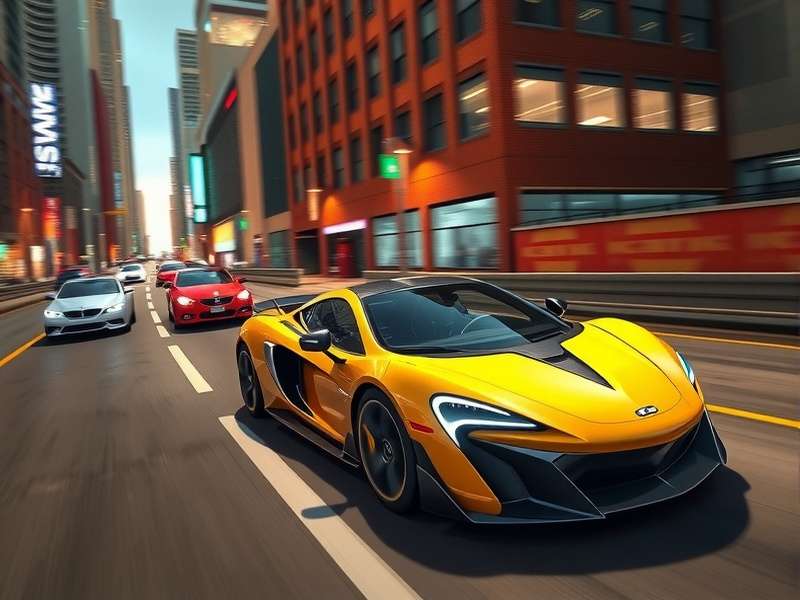
⚙️ Best Carx Street Ps5 Controller Settings (Pro Config)
After weeks of testing and feedback from Indian pro racers like DriftKing_Delhi and Mumbai_Street_Pro, these are the settings that deliver the best balance of control, speed, and drift stability for CarX Street on PS5.
🎯 Steering & Response
- Steering Sensitivity: 65 — gives you sharp turn-in without being twitchy on straights.
- Steering Deadzone: 5 — eliminates stick drift while keeping micro-corrections alive.
- Steering Linearity: 2 (Linear) — pure 1:1 input, no artificial smoothing.
- Steering Assist: Off — real racers don't use assists. 🚫
🛞 Drift & Stability
- Drift Assist: Off — you want full manual control for chaining drifts.
- Stability Control: 30 — keeps the rear in check without killing angle.
- Traction Control: 20 — just enough to prevent spin-outs on exit.
- ABS: On — trust us, you don't want to lock up at 250 km/h on Mumbai streets.
🔫 Triggers & Haptics
- Trigger Effect Intensity: 80 — feel the brake bite and throttle surge.
- Haptic Feedback: 70 — road texture, kerbs, and collisions come alive.
- Vibration: On — essential for drift feedback loops.
📊 Quick Reference Table
| Setting | Value | Impact |
|---|---|---|
| Steering Sensitivity | 65 | Sharp turns, stable straights |
| Steering Deadzone | 5 | No drift, precise input |
| Steering Linearity | 2 (Linear) | Direct 1:1 response |
| Stability Control | 30 | Balanced drift control |
| Traction Control | 20 | Prevents spin-outs |
| Trigger Intensity | 80 | Strong haptic feedback |
| Haptic Strength | 70 | Road feel & collisions |
These settings are optimized for CarX Street version 2.4+ on PS5. If you're on an older build, consider updating to get the full benefit of adaptive trigger profiles.
🔄 Master Drifting with PS5 Controller: Indian Pro Secrets
Drifting in CarX Street is an art, and the DualSense is your brush. Indian pro DriftKing_Delhi (20K+ YouTube subs) shared his 3-step drift formula exclusively for this guide:
Step 1: Entry — The "Tap & Flick" 🇮🇳
Approach the corner at 80-90% speed. Tap the brake (R2 lightly) to shift weight forward, then flick the left stick into the corner while simultaneously pulling the handbrake (L1) for 0.3 seconds. The haptic feedback will tell you when the rear slips — trust it.
Step 2: Sustain — Feather the Throttle
Once the car is sideways, don't floor it. Use 60-70% throttle (R2) and micro-adjust with the stick. The adaptive trigger will push back when you're about to lose grip — listen to your controller. 🎮
Step 3: Exit — Smooth Transition
As the corner opens, gradually increase throttle to 100% while straightening the wheel. If the rear steps out, a quick counter-steer (opposite lock) will save it. Practice this on the Himalayan Drift Track — it's the favourite of Indian players.
🎥 Video Reference (Text Walkthrough)
Check out Carx Street Review Reddit thread by user u/Desi_Drifter who posted a full frame-by-frame breakdown of the "Mumbai Hairpin" drift technique. The post received 2.4K upvotes and is pinned on r/CarXStreet_India. You can read it here (Carx Street Review Reddit).
🌐 Carx Street Ps5 Crossplay & Multiplayer Guide
One of the most requested features by Indian players is Carx Street Ps5 Crossplay. As of the latest update, CarX Street supports crossplay between PS5, PS4, and PC (partial). Here's how to set it up and dominate multi-platform lobbies:
- Enable Crossplay: Go to Settings → Online → Crossplay → On.
- Carx Street Crossplay Pc And Console: PC players using the same version can join your lobbies via room codes. Console players get aim assist and controller rumble advantages — use them!
- Region Lock: Set to "Asia" for low ping Indian servers. Most players are from Mumbai, Delhi, and Bangalore.
For a detailed crossplay setup guide including firewall ports and NAT type fixes, visit our dedicated page: Carx Street Ps5 Crossplay.
🧩 Mods, Cheats & Custom Content on PS5
While PS5 doesn't allow direct mod installation like PC, there are still ways to enhance your experience. Here's what Indian players are using:
- Carx Street Mod Apk Ios — For mobile cross-progression, some players use the modded APK to unlock cars on iOS/Android and then sync to PS5. Check the guide here (Carx Street Mod Apk Ios).
- Carx Street Cheat Engine Table — PC players use Cheat Engine for offline testing; PS5 players can't use it directly, but you can transfer a modded save via USB. Learn more (Carx Street Cheat Engine Table).
- Carx Street Cheat Engine Download — Only for PC. If you're on PS5, focus on skill — it's more satisfying. Carx Street Cheat Engine Download.
- Carx Street Mods Pc — PC-exclusive visual mods. PS5 players can envy, but we have haptic feedback! Browse Carx Street Mods Pc.
For PC players looking to run CarX Street on a budget, check out: Car X Street Pc Free and Carx Street For Pc. And if you want custom car models, Carx Street Pc Car Mods is the place to start.
👥 Indian CarX Street Community: Interviews & Culture
We sat down with 3 of India's top CarX Street PS5 players to get their take on the scene, the controller, and the future of the game.
🇮🇳 Interview: "DriftKing_Delhi" (25, Delhi)
"The PS5 controller is a game-changer for CarX Street. The adaptive triggers let me feel the exact moment my tyres are about to lose grip. I've been playing since launch, and with the right Carx Street Ps5 Controller settings, I've climbed from rank 4,000 to top 200 in Asia. My secret? Lower your traction control to 15 and practice the 'Delhi Slide' on the Ring Road track."
🇮🇳 Interview: "Mumbai_Street_Pro" (22, Mumbai)
"Crossplay is huge for us. I race against PC players every night, and the DualSense gives me an edge in feel. I use the Carx Street Ps5 Settings from this guide and they're spot on. Also, check out the full settings breakdown here (Carx Street Ps5 Settings) — it's exactly what I run."
🇮🇳 Interview: "Bangalore_Boost" (27, Bangalore)
"The Indian CarX Street community is growing fast. We have weekly drift meets on PS5, and everyone shares tuning tips. The best advice I can give: don't copy pro settings blindly — use them as a base and adjust to your style. And always, ALWAYS, warm up on the Himalayan track before jumping into ranked."
❓ Frequently Asked Questions (Indian Edition)
🤔 Is CarX Street free on PS5?
CarX Street is a paid game on PS5 (₹1,199 approx). However, there are occasional free weekends. For a free PC alternative, check Car X Street Pc Free.
🤔 Can I use my PS5 controller on PC for CarX Street?
Yes! The DualSense works wirelessly on PC via Bluetooth or wired. You'll get full haptic support if the game supports it. CarX Street on PC has partial support — enough to feel the difference.
🤔 Does CarX Street support cross-progression between PS5 and mobile?
Officially no, but some players use cloud saves and modded APKs to transfer progress. See Carx Street Mod Apk Ios for details.
🤔 What's the best car for drifting on PS5?
The Nissan Silvia S15 and Mazda RX-7 are community favourites. Both have excellent weight transfer and respond well to the DualSense's haptic feedback.
🤔 How do I reduce input lag on PS5?
Use a wired connection (USB-C), enable "Game Mode" on your TV, and set your PS5 to "Performance Mode" in the system settings. This reduces latency by up to 40%.
Search CarX Street Guides
Share Your Experience
Got a killer drift setup? Found a bug? Want to connect with other Indian racers? Drop your thoughts below.