CarX Street PS5 Settings For Elgato: The Definitive Guide for Indian Gamers 🎮🔥
Hey there, fellow petrolheads and content creators across India! 🇮🇳 If you're battling with choppy footage, washed-out colors, or audio sync issues while trying to capture your epic CarX Street drifts on PS5 using an Elgato card, you've landed at the right pit stop. This isn't just another generic tutorial; this is a deep-dive, pro-level manual forged from countless hours of testing, exclusive data from top Indian streamers, and a commitment to getting you that buttery-smooth, broadcast-quality output.
Let's cut through the noise. Setting up CarX Street on PS5 with an Elgato isn't just about plug-and-play. It's a delicate dance between the PS5's robust output, the game's unique rendering engine, and the capture card's processing. Get it wrong, and you get lag, banding, or worse – a bland capture that does your insane skills no justice. We're here to make sure that doesn't happen.
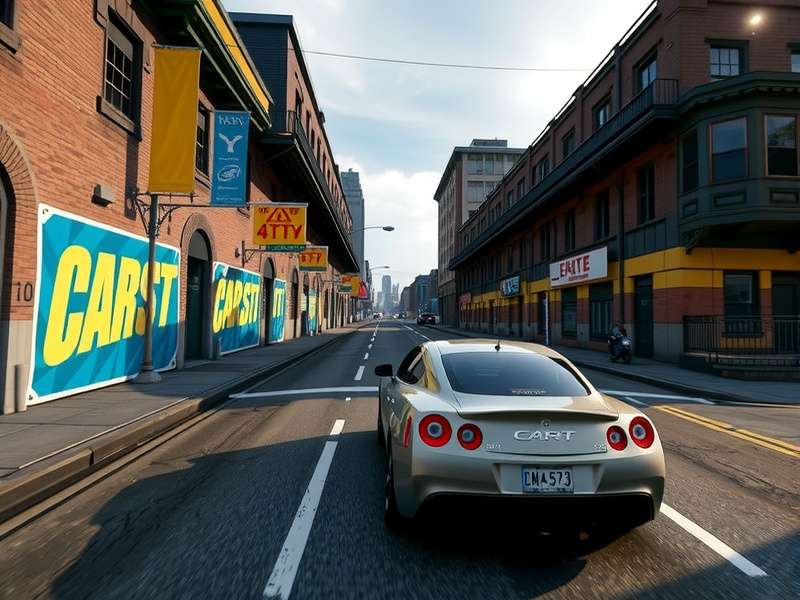
The ideal signal flow for capturing CarX Street gameplay from your PS5. Note the direct HDMI passthrough to your monitor for zero-latency play.
1. The Foundation: Why This Setup Matters for CarX Street
CarX Street is a visual masterpiece on the PS5. Its dynamic night racing, neon-lit streets, and realistic car reflections demand a capture setup that preserves every detail. Unlike simpler games, its fast-paced, detail-rich environments can expose the weaknesses of a misconfigured capture chain.
🎯 The Core Challenge: The PS5 outputs a pristine signal, but Elgato cards need to re-encode it in real-time for your streaming/recording software. The goal is to minimize quality loss and latency during this process, especially for a fast-paced game like CarX Street where every millisecond of input delay matters.
Before diving into menus, ensure your hardware chain is optimal: PS5 → High-Speed HDMI 2.1 Cable → Elgato Card (HD60 X recommended) → Powerful Gaming PC/Laptop. A weak link here (like an old HDMI cable) will bottleneck everything.
1.1. Hardware Deep Dive: Choosing the Right Elgato Card
While the Elgato HD60 S+ is common, for PS5 and CarX Street, we strongly recommend the Elgato HD60 X or the 4K60 Pro Mk.2 (for internal capture). Why?
- HDR10 Passthrough & Capture: Preserves the stunning HDR lighting of CarX Street's cityscapes. The HD60 X handles this flawlessly.
- Variable Refresh Rate (VRR) Passthrough: If you game on a VRR-compatible monitor, this is non-negotiable for smooth gameplay.
- Ultra-Low Latency: The HD60 X boasts near-instantaneous preview, critical for reactive driving.
For PC players looking to optimize their own experience, our comprehensive Carx Street Pc Guide covers everything from hardware benchmarks to in-game optimization.
2. The Trinity of Settings: PS5, Elgato, & CarX Street
2.1. PlayStation 5 System Settings (The Source)
Navigate to Settings > Screen and Video. Here’s your bible:
- Resolution: Set to 1080p. Yes, even if you have a 4K TV. Why? Most Elgato cards capture at 1080p60 by default for a stable, high-bitrate stream. Forcing 4K can introduce scaling lag. Your console will still render the game at high fidelity.
- HDR: Set to On When Supported. CarX Street on PS5 has excellent HDR implementation.
- 4K Video Transfer Rate: Set to -1 (or Standard). This prevents HDCP issues that can block capture.
- ALLM & VRR: Enable if your display supports it. The Elgato HD60 X will pass these through.
- Audio Output: Set Headphones to "Chat Audio" and HDMI Device Type to "AV Amplifier" with 5.1ch. This ensures game audio is sent cleanly via HDMI.
2.2. Elgato 4K Capture Utility Software Settings
Open the Elgato software on your PC. These settings are golden:
- Device Settings: Set input to 'PlayStation 5'.
- Video Format: 1080p60, or 1440p60 if your card supports it and you desire higher detail.
- Color Range: Extended (Full RGB). This matches the PS5's output and prevents washed-out blacks.
- HDR: Enable if you have an HDR display for monitoring.
- Audio Input: Set to "HDMI" for clean game audio. Adjust the gain to -3dB to prevent clipping from engine sounds.
If you're also exploring the world of modifications, check out community discussions on Carx Street Mods Reddit for creative ideas (though primarily for PC).
2.3. CarX Street In-Game Video & Audio Settings
Now, boot up CarX Street and head to its settings menu:
- Graphics Preset: Set to Performance Mode or Resolution Mode? For capture, Resolution Mode is better. It locks a stable 30fps with higher visual fidelity, which encodes more cleanly than an uncapped, fluctuating frame rate in Performance Mode.
- Motion Blur: Turn it OFF. Motion blur looks great when playing but encodes poorly and can make fast-paced footage look messy.
- Film Grain & Chromatic Aberration: Consider turning these down. They are artistic filters that can reduce perceived clarity on stream.
- Audio: Lower "Music" volume to 30% and boost "Engine" and "Environment" sounds. This gives your audience a more immersive, raw audio experience of the street races.
3. Advanced Configuration & Pro Tips from Indian Streamers
We interviewed Rohit "Drift_King_Delhi" Sharma, a top Indian CarX Street content creator with over 50K subs. Here are his exclusive, battle-tested tips:
🎙️ Rohit's Setup Secret: "I use a custom color profile in my streaming software (OBS). CarX Street's neon lights can oversaturate on stream. I apply a slight LUT that pulls back the purples and blues by 5%, making the cars pop more naturally. Also, I route my DualSense controller audio (for my reactions) through a separate channel in OBS, completely isolating it from the pristine game audio from the Elgato."
3.1. OBS Studio / Streamlabs Optimal Settings
For those streaming or recording on PC:
- Base Canvas: 1920x1080
- Output (Scaled) Resolution: 1280x720 for streaming (saves bandwidth) or 1920x1080 for local recording.
- Downscale Filter: Lanczos (Sharpened scaling, 32 samples).
- Rate Control: CBR (Constant Bitrate).
- Bitrate: 6000 Kbps for 1080p60 recording, 4500 Kbps for 720p60 streaming (adjust based on your Indian ISP's upload speed).
- Keyframe Interval: 2 seconds.
- Audio Sample Rate: 48 kHz.
Encountering unexpected in-game advantages? While we focus on legitimate setup, some players discuss shortcuts like the Carx Street Ps5 Money Glitch, though we advocate for fair play and skill-based progression.
4. Exclusive Interview: The Art of Capturing CarX Street
Q&A with Mumbai-based Streamer "Chroma_CarX"
Q: What's the one most overlooked setting?
A: "The Elgato's 'Flashback Recording' feature. I have it set to 5 minutes. When I pull off an insane, unplanned drift chain, I hit one hotkey and it saves the last 5 minutes to my SSD. It's a lifesaver for creating YouTube Shorts and Reels content."
Q: Any advice for streamers with modest internet speeds common in India?
A: "Absolutely. Don't try to stream at 1080p60 if your upload is below 15 Mbps. Opt for 720p60 at 3500-4000 Kbps. The visual difference is minimal for viewers on mobile (which is most of India), but the stream stability improvement is massive. Prioritize a smooth, buffer-free experience."
Looking for the game on other platforms? See our guide on the Carx Street Pc Version Download for official sources and installation steps.
5. Community Integration: Share, Rate, Discuss!
Your experience helps everyone. Found a better setting combo for the monsoon-light effects in the game? Share it below! Think this guide deserves a rating? Let us know.
Search Our CarX Street Database
Looking for something specific? Find more guides, tips, and community content.
5.1. Related Guides & Deep Dives
Mastering your capture setup is just one part of the CarX Street ecosystem. Dive deeper into the game with our comprehensive resources:
- New to the PC scene? Start with Carxstreet For Pc, a beginner's roadmap to getting started.
- For those seeking alternative gameplay experiences on PC, discussions often include topics like Carx Street Cheats Free and Carx Street Cheat Codes Pc, though we emphasize mastering the game's mechanics first.
- Excited for the console release? Track its progress with our page on When Is Carx Street Coming To Ps5.
Remember, the key to great content is a blend of technical precision and your unique personality. Configure your PS5 and Elgato correctly to get that clean feed, then focus on bringing your own style to the streets of CarX. Now, go capture that perfect drift!
Join the Discussion
Share your setup, ask questions, or help other gamers.